
Store connection — overview
For the bot to call, the panel must see your orders and products. You connect the store once — we call it a connector — and the panel syncs data afterward. There are three paths, depending on your platform.
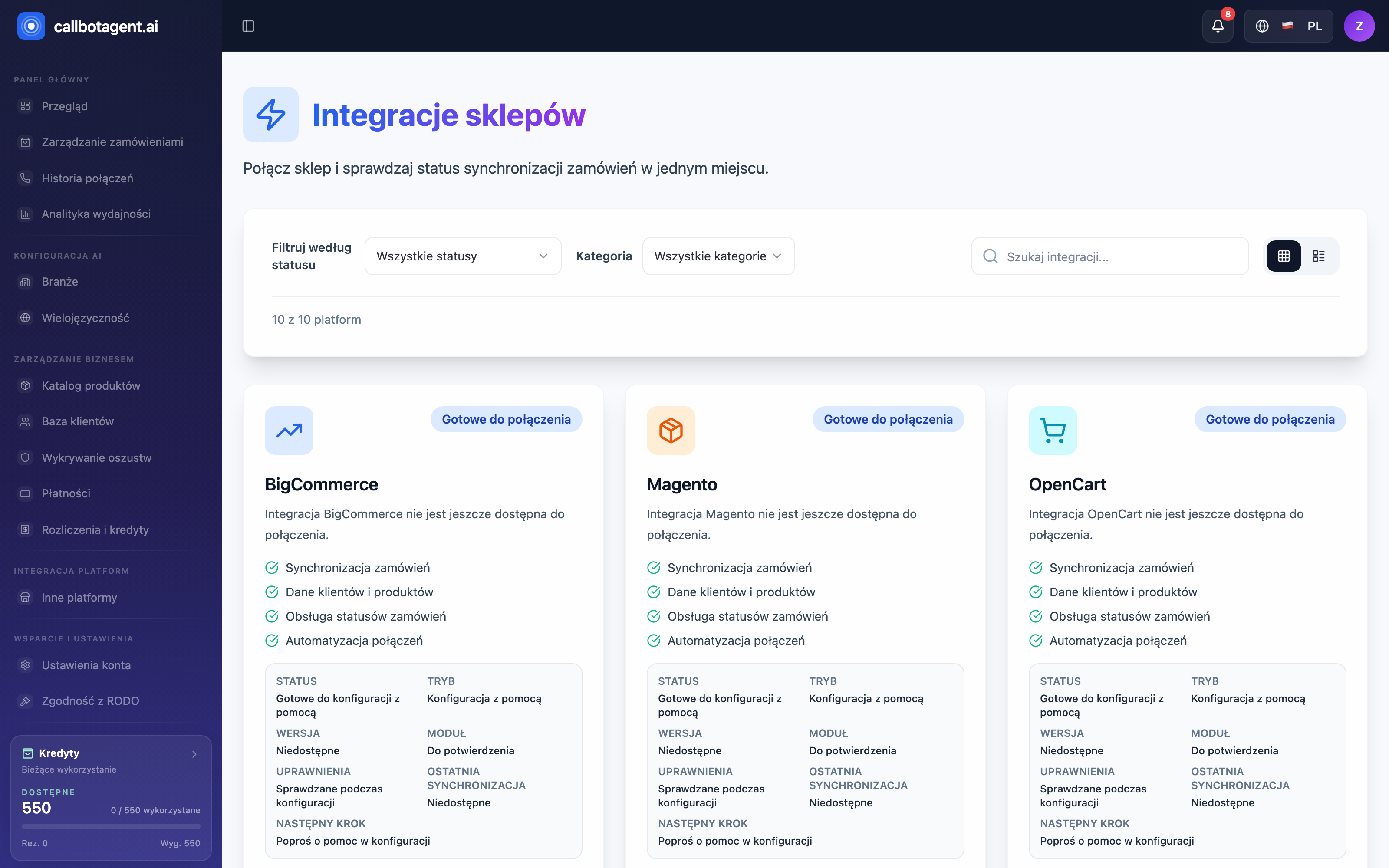 Store Integrations module: platform cards and connection status. Sample data (demo).
Three connection paths
| Path | For whom | How it works |
|---|---|---|
| Shopify — self-service | Shopify stores | You connect via OAuth in minutes |
| PrestaShop — assisted | PrestaShop stores | Module and Webservice; our team guides activation |
| Custom / API | Stores outside the catalog or custom backend | Data arrives through the public API |
The platform catalog (Panel → Integrations) shows more names — including
WooCommerce, Magento, BigCommerce, and Wix. Today you can connect only
Shopify yourself; PrestaShop runs in assisted mode, and other platforms are
on the roadmap and handled via contact (form / onboarding call). Non-standard
stores can always use the Custom / API path.
Which path to choose
- On Shopify? Go straight to OAuth — fastest and most secure. See Shopify: connection and operations.
- On PrestaShop? Choose assisted mode. We verify store version, module, and Webservice, and you keep control over what the bot can write back to the store. See PrestaShop: assisted mode and module.
- Another store or custom backend? Connect via API — the same API handles products, customers, orders, and repurchase intents. See Custom store / API connector.
What happens after connection
Once the connector is set up, the panel syncs catalog and orders. New orders enter the queue, qualify under your rules, and — when conditions are met — enter calling. Connection status appears on Integrations; check the product catalog in Products and orders in Orders.
An active connector is one go-live condition. If launch is blocked by connection, see Connector readiness blockers.