
Account and store settings
Settings (Panel → Settings) gathers account and store configuration in one
place: data the bot uses in conversation, catalog sync, order sources, and
qualification rules. Settings are split into tabs and save automatically
(auto-save).
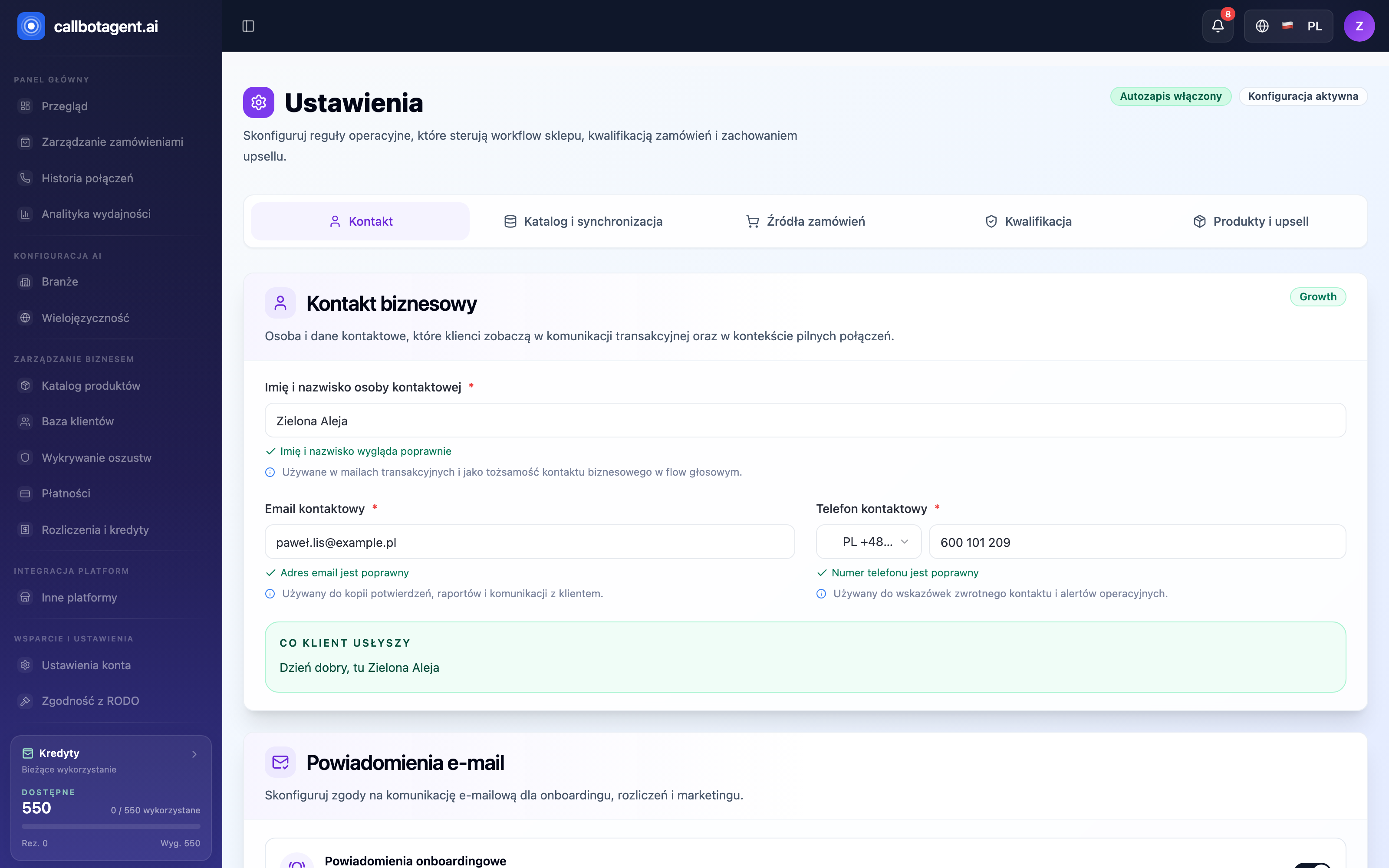 Contact tab with five-tab bar (Contact / Catalog & sync / Order sources / Qualification / Products & upsell) and "Business contact" form. "Auto-save enabled" badge top right. Sample data (demo).
What each tab contains
Settings have five tabs. Each covers a different part of how the bot recognizes your store and which orders enter calls:
| Tab | What you configure |
|---|---|
| Contact | customer-visible contact details and email notification consents |
| Catalog & sync | catalog source, refresh, and historical order import |
| Order sources | which sources and channels orders are accepted from for calling |
| Qualification | rules deciding which orders qualify for calls |
| Products & upsell | global upsell rules and per-product exceptions |
Contact
The Contact tab holds business contact data customers see in transactional communication and hear in calls. Set contact person name, contact email, and contact phone — each field is validated (e.g. "Phone number is valid"). What the customer will hear preview shows the live greeting (e.g. "Hello, this is Green Avenue"). Below, Email notifications toggles consents for onboarding, billing, and marketing messages. This tab matters most at start — it defines how customers recognize your business.
Catalog and sync
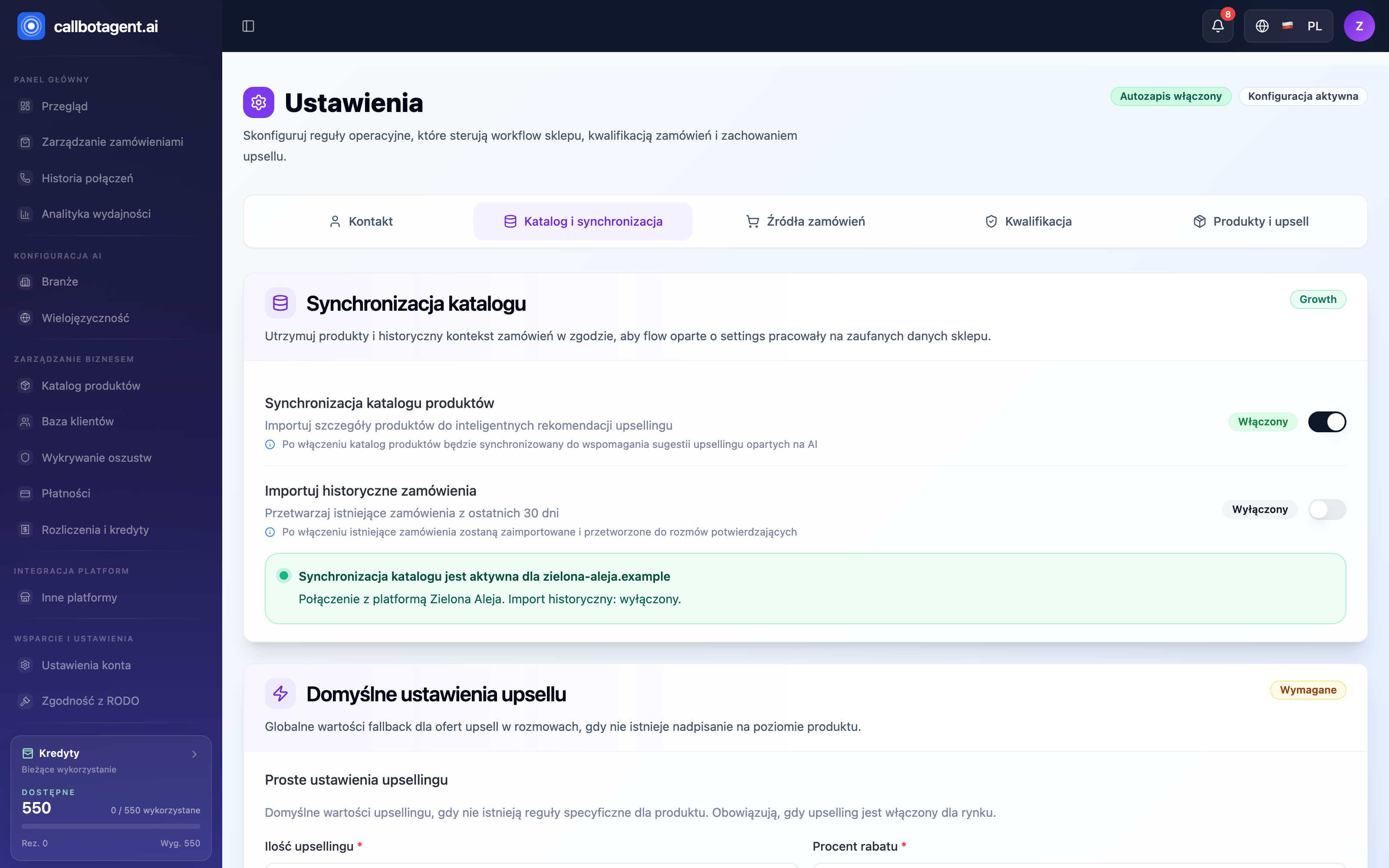 Catalog and sync tab: "Product catalog sync" and "Import historical orders" toggles plus green status confirming active store sync. Sample data (demo).
Catalog & sync controls catalog source and refresh. Toggle Product catalog sync keeps the product list aligned with the store so upsell recommendations use current data. Import historical orders one-time pulls earlier orders (e.g. last 30 days) for confirmation calls. Green status bar shows sync is active for your store and whether historical import is on.
Order sources
Order sources defines which sources and channels orders are accepted from for the calling queue. You decide which integrations and order types the system takes — others are skipped before qualification.
Qualification
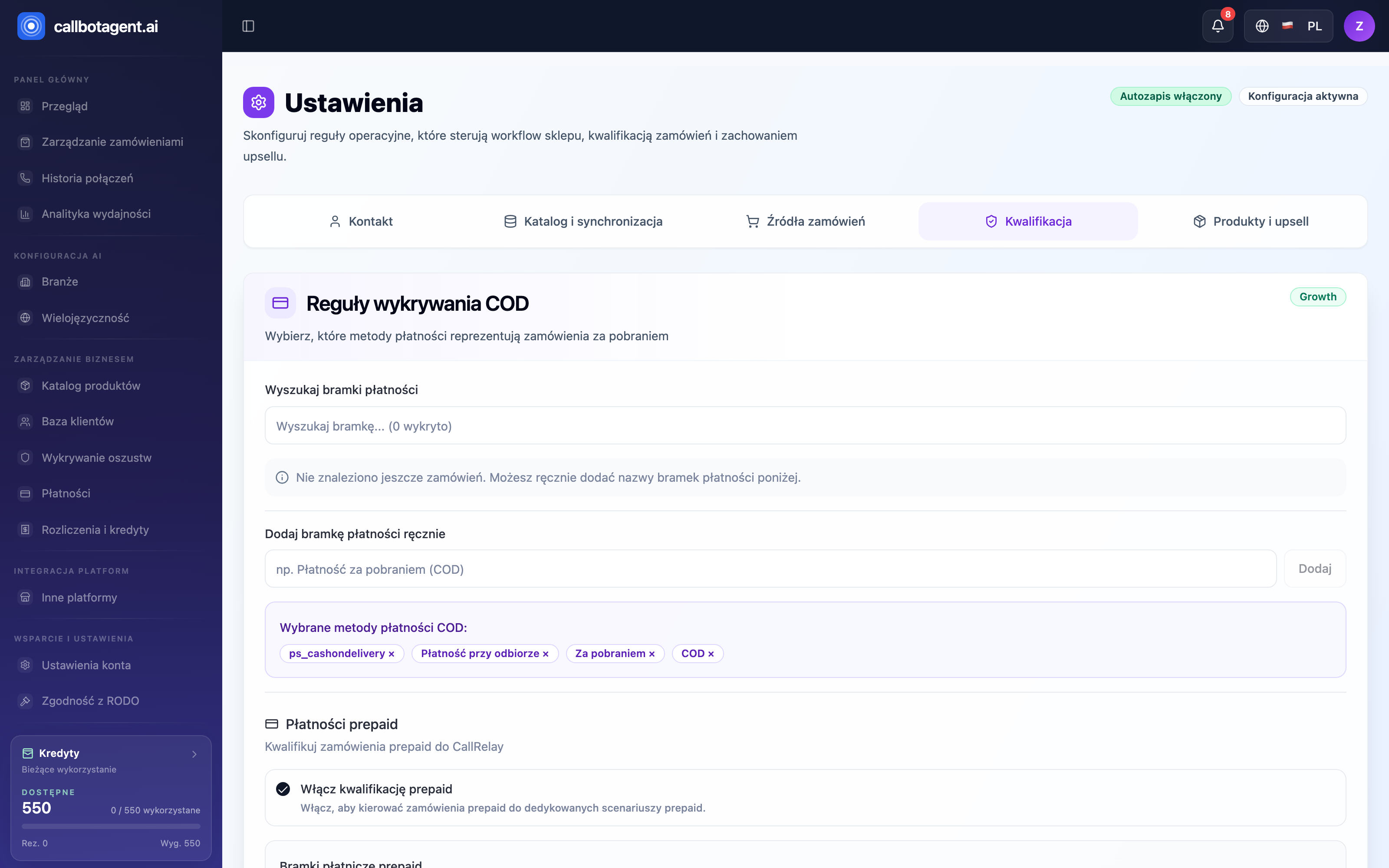 Qualification tab: cash on delivery (COD) detection rules with selected payment methods and prepaid order qualification section. Sample data (demo).
Qualification rules decide which orders qualify for calls. Configure cash on delivery (COD) detection — which payment methods mean COD (search or add manually, e.g. "Cash on delivery", "COD") — and separate prepaid order qualification. Only orders matching your rules are called. These work with calling rules.
Products and upsell
Products & upsell sets global upsell rules and per-product overrides. Default upsell offer values (e.g. quantity and discount percent) apply when a product has no specific override. Fine-tune what and on what terms the bot proposes during calls.
Changes auto-save — a save status appears above the tabs. No separate Save button to find.
Feature availability depends on plan
Some tabs and options may be locked if your plan does not include them. The panel then shows which plan unlocks the feature. Expected behavior — more in Plans, subscriptions, invoices.