
Calls and outcomes — overview
The Call history module (Panel → Calls) is one place to see every call the
bot made: when it dialed, whether the customer answered, the outcome, and what
was agreed. From here you also open the full report for a single call including
the transcript.
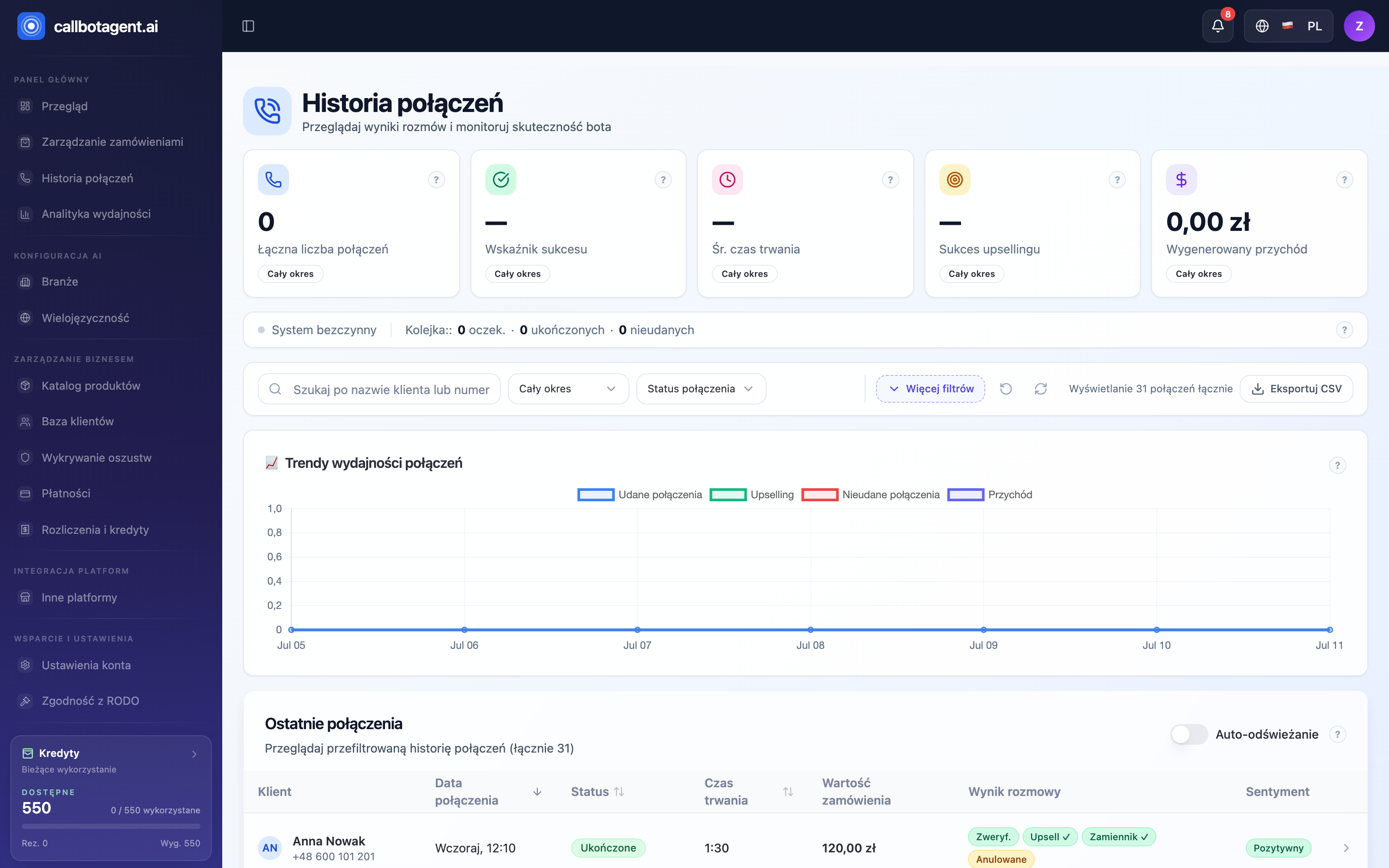 Call list with status, duration, outcome (Verified/Upsell/Replacement), and sentiment columns. Sample data (demo).
What you see in the list
At the top are KPIs (call count, success rate, average duration, upsell revenue) and queue status — how many calls wait, are in progress, completed, or failed today. Below is a table with one row per call:
| Column | Meaning |
|---|---|
| Customer | Name and phone number the bot dialed |
| Date | When the call was initiated (sortable) |
| Status | Technical stage — e.g. Pending, Queued, Processing, Completed, Failed |
| Duration | Call length (optional column) |
| Order value | Amount of linked order |
| Call outcome | Short tags: Verified / Not verified, Upsell ✓, Replacement ✓, Cancelled |
| Sentiment | Overall conversation tone (optional column) |
Click a row to expand — you see a short decision summary (confirmed, upsell, replacement, cancelled), transcript preview, and Full report →.
Status (column) is the technical connection stage; Call outcome is the business result. "Completed" only means the bot finished the call — whether the customer confirmed, changed, or rejected the order is in Outcome and the report.
Narrowing the view
Above the table: search and filters for status, date range (today, last 7 / 30 / 90 days, custom), and sort (date, status, duration). Auto-refresh updates the list live; export downloads the selected slice to CSV.
How to open a call report
Find the call
Use filters or search to locate the right connection.
Expand the row
Click the row — short outcome and transcript preview appear.
Open full report
Click Full report →. A panel opens with summary, customer decision, transcript, and sentiment (details).
Not every row is a successful conversation. If the customer did not answer, the line was busy, or voicemail answered, the bot retries per rules — see Attempt history and dispositions.