
GDPR and privacy — overview
Privacy (Panel → Privacy) is one place to manage customer consents, Do Not
Call (DNC) numbers, customer requests, and data retention periods. As store
operator you are data controller for your customers — the panel gives tools to
do that lawfully, and we provide secure storage.
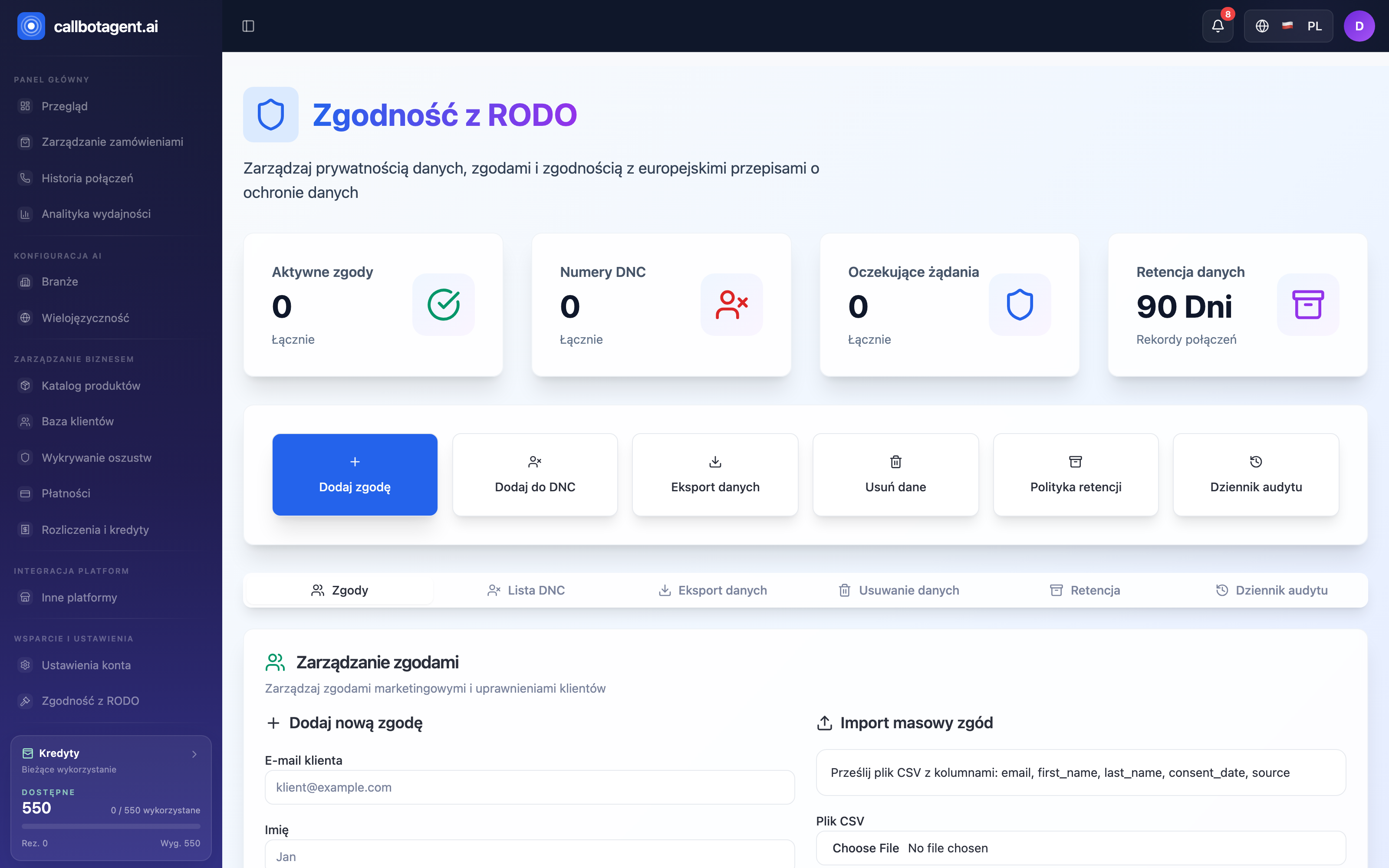 GDPR compliance module — Consents tab. Sample data (demo).
 "Add new consent" / CSV import form. (illustrative screenshot — in progress)
 Do Not Call list tab with add-number action. (illustrative screenshot — in progress)
Privacy dashboard
Under the GDPR compliance heading, four stat cards summarize the module. The first three show a numeric value with a Total subtitle; the fourth shows the configured retention period:
| Card | Meaning |
|---|---|
| Active consents | entries in the consent registry with status "active" |
| DNC numbers | numbers on the Do Not Call list |
| Pending requests | data copy or deletion requests in progress |
| Data retention | the number of days in the call-record retention policy; automatic deletion is off by default, so until you enable it this number deletes nothing |
Tabs
The module has six tabs:
| Tab | Purpose |
|---|---|
| Consents | marketing consent registry — document and review customer consents |
| DNC list | numbers under Do Not Call |
| Data export | customer data copy requests (right of access) |
| Data deletion | permanent deletion requests (right to erasure) |
| Retention | automatic deletion policy and retention periods |
| Audit log | record of actions in the privacy module |
Consents and the Do Not Call list
Before every call the system checks the Do Not Call list — a number on that list is never called. Customer consents are documented in the GDPR module; the system does not block calls based on them. Whether you have a lawful basis to call a customer is your decision as the data controller.
Under Consents, Consent management offers two ways to add registry entries:
- Add new consent — single entry form: customer email and first name; the system records consent for that person.
- Bulk consent import — upload CSV to add many at once. Prepare columns:
email,first_name,last_name,consent_date,source.
Each consent shows source and status: active, withdrawn, or expired. The registry documents consents — for example when a customer or a supervisory authority asks on what basis they were contacted.
If a customer does not want to be called, add their number to the Do Not Call list — that is the only block the system enforces automatically. Details in Consents and contact.
DNC list (do not call)
On the DNC list you place numbers the bot never calls — e.g. on explicit customer request. Add with reason and source; bulk import is available. Calling rules always respect this list (rules).
Customer requests: access and deletion
The panel supports basic data subject rights:
- Data export — create a request to collect customer data; track status and progress.
- Data deletion — initiate deletion; only data stored in CallBotAgent is removed, and the request entry plus the audit log remain as proof of fulfilment.
Data retention
Call records and contact-form submissions can be deleted automatically after a set number of days. Automatic deletion is off by default; once enabled, the system deletes the data permanently — it does not anonymize it. Details, including the scope of data copies and deletion, are in a separate article.