
Calling rules — overview
The bot does not call whenever it wants. Before dialing, an order passes rules: whether the customer may be called, at what time, and how many times. This article shows which rules decide a connection and in what order they are checked.
 Market dialog — business hours and time zone as the "right time to call" layer. (illustrative screenshot — in progress)
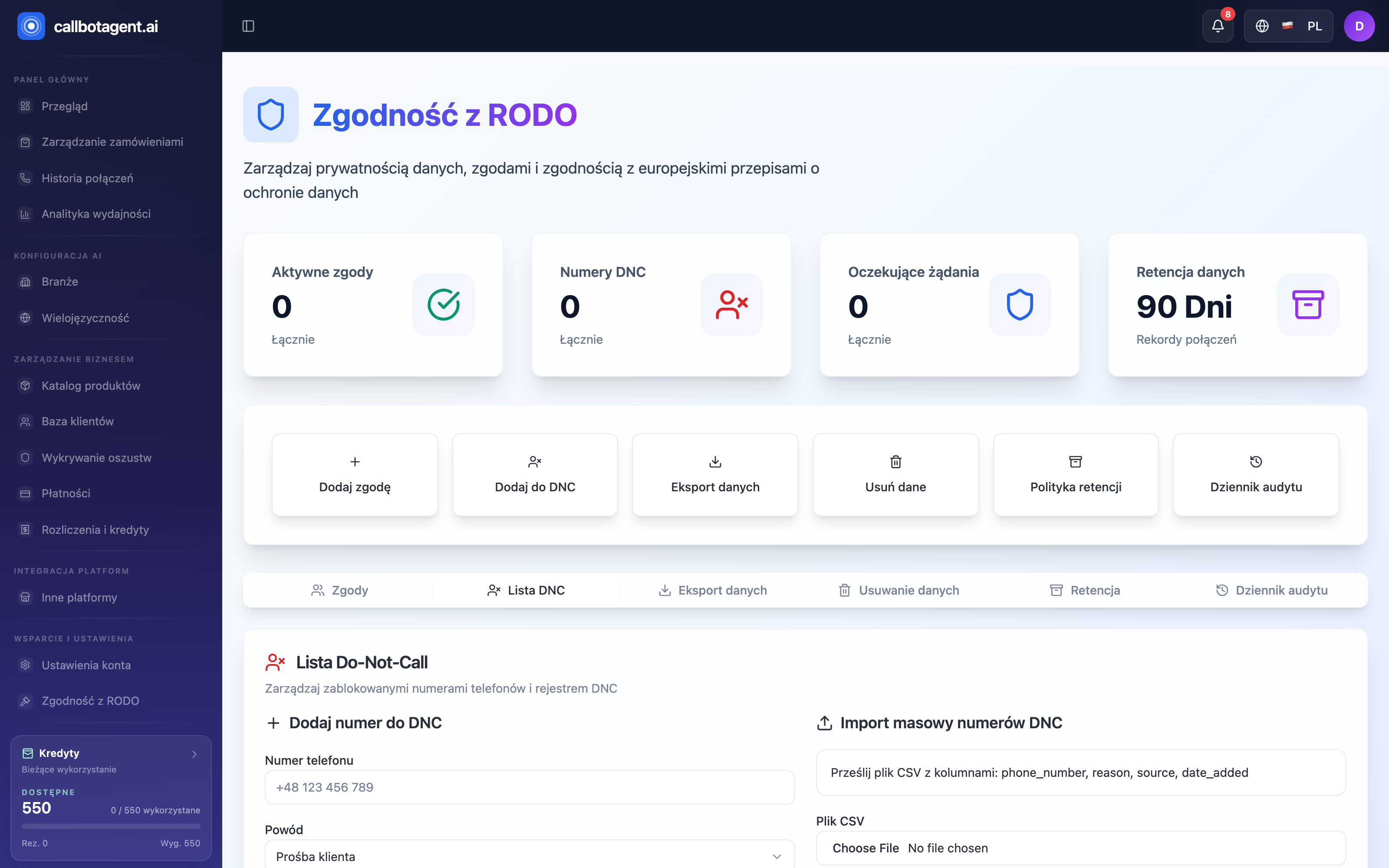 Do Not Call list — hard blocker before any attempt. Sample data (demo).
What decides whether the bot calls
For each order the bot checks in sequence:
- Whether the number may be called — not on Do Not Call (DNC) and within your consent rules.
- Whether it is time to call — market business hours active and not in quiet hours window.
- Whether attempts remain — retry limit for this order not exceeded.
If any condition fails, the call does not happen or is deferred.
Rule hierarchy
When rules conflict, clear priority applies — higher rule wins:
| Priority | Rule | Effect |
|---|---|---|
| 1 (highest) | DNC list and consents | number never dialed, no exceptions |
| 2 | Market policy | business hours, quiet hours, attempt limit |
| 3 | Qualification and queue | order filters and dialing order |
Do Not Call overrides everything. Even if the order qualifies and business hours are open, a DNC number is not dialed.
Rules are per market
Business hours, time zone, and attempt limits belong to a specific market (country). The bot calls the customer in local time, not yours. Multiple markets can have different calling windows.
Call queue
Qualified orders enter the call queue. Current state (waiting, in progress, completed, failed today) appears in Analytics queue status card. When the queue is light, calls go out quickly; when busy, calls wait their turn.
Where to configure details
- Hours, calling days, quiet hours — when the bot may call and how to block certain periods.
- Retries and DNC list — how many retries and how Do Not Call works.