
Languages, countries, categories — overview
Before the bot calls, it must know where it calls, which language it speaks, and how to run the conversation. You configure those in localization: markets (countries), languages with voice profile, and store industry category. This article shows how pieces fit together; details are in subpages.
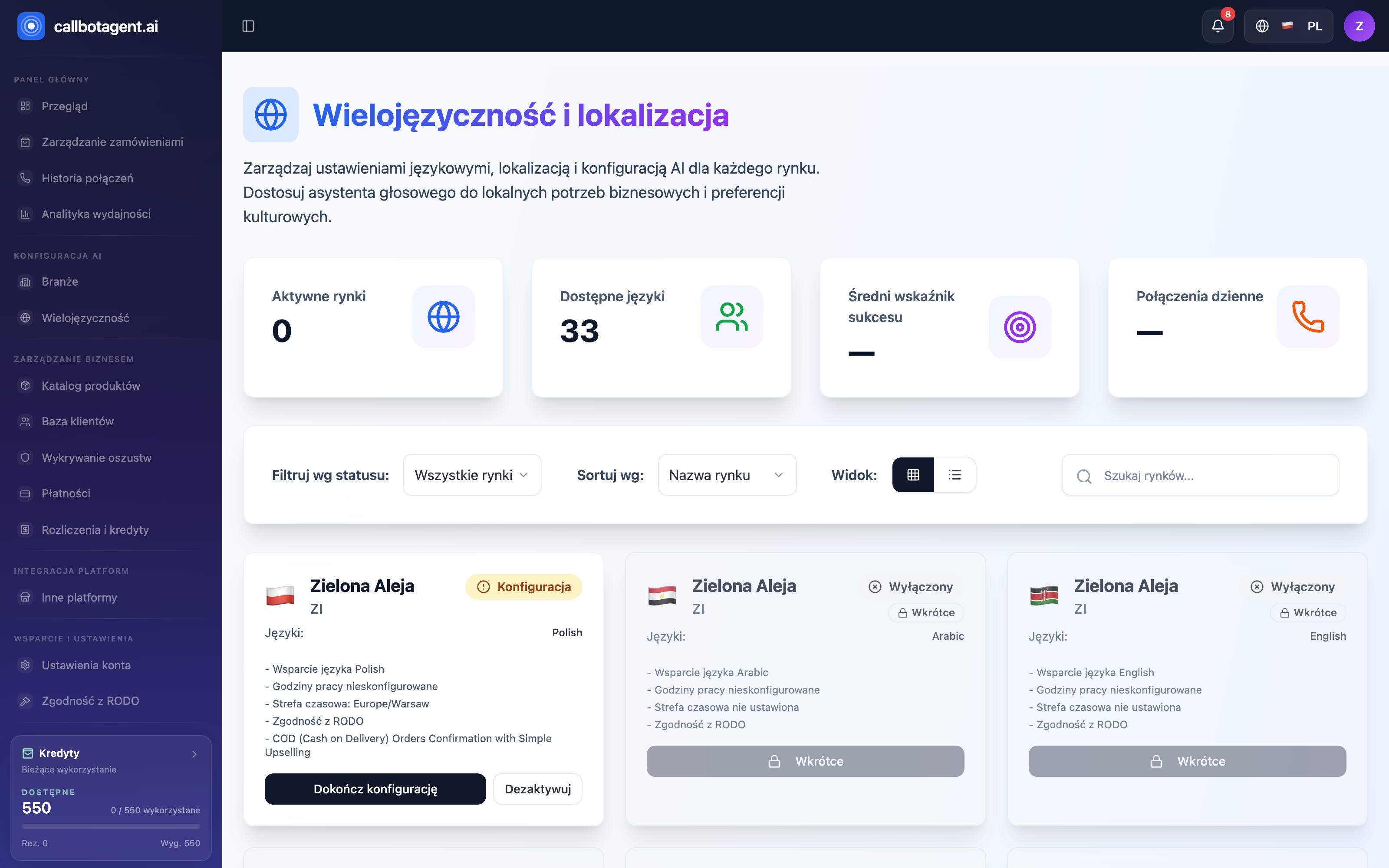 Market cards — activation status, language, and configuration checklist. Sample data (demo).
Three configuration layers
| Layer | What it defines | Where you set it |
|---|---|---|
| Market (country) | where you operate, time zone, calling hours, currency | Countries, time zones, markets |
| Language and voice | conversation language and bot voice | Languages and voice configuration |
| Industry | conversation style, arguments, upsell proposals | Categories and industries |
The platform supports dozens of languages and countries. You do not need to configure everything at once — start with one market, refine it, then add more when ready.
How it works together
- Activate a market — choose a country where the bot should call. The market brings time zone and default business hours.
- Language and voice — the conversation language follows the market's country; the assistant's voice is set in Industries, AI voice tab.
- Pick industry — store category shapes how the bot talks and what it proposes.
- Bot calls — combines these with calling rules (hours, quiet hours, retry limits) to dial at the right time.
Multiple markets
Each market is configured on its own card: calling hours, time zone, delay and retries, and the phone number. There are no bulk tools today — a change shared by several markets is made on each card.