
Statuses and order lifecycle
An order in CallBotAgent has three independent status dimensions. Do not mix them — each answers a different question.
1. Financial status (from store)
Answers: is the order paid? It comes directly from your store and the panel does not change it:
| Status | Meaning |
|---|---|
| Pending | payment not yet completed |
| Authorized | payment authorized, not captured |
| Paid | payment captured |
| Partially refunded / Refunded | partial or full refund issued |
2. Fulfillment (from store)
Has the goods shipped? — Fulfilled, Partial, Unfulfilled. Also mirrored from the store.
3. Bot call status (CallBotAgent)
What did the bot do with this order? Visible in the 📞 column:
| Status | Meaning | What next |
|---|---|---|
| No call | order did not qualify for calling or waits in a later queue | check calling rules and order filters in settings |
| In progress | call scheduled or attempt in progress | wait — status updates automatically |
| Call completed | bot reached the customer and finished; report available | open Call report |
| Call failed | attempts exhausted (no answer, busy, error) | see Why didn't the call happen? |
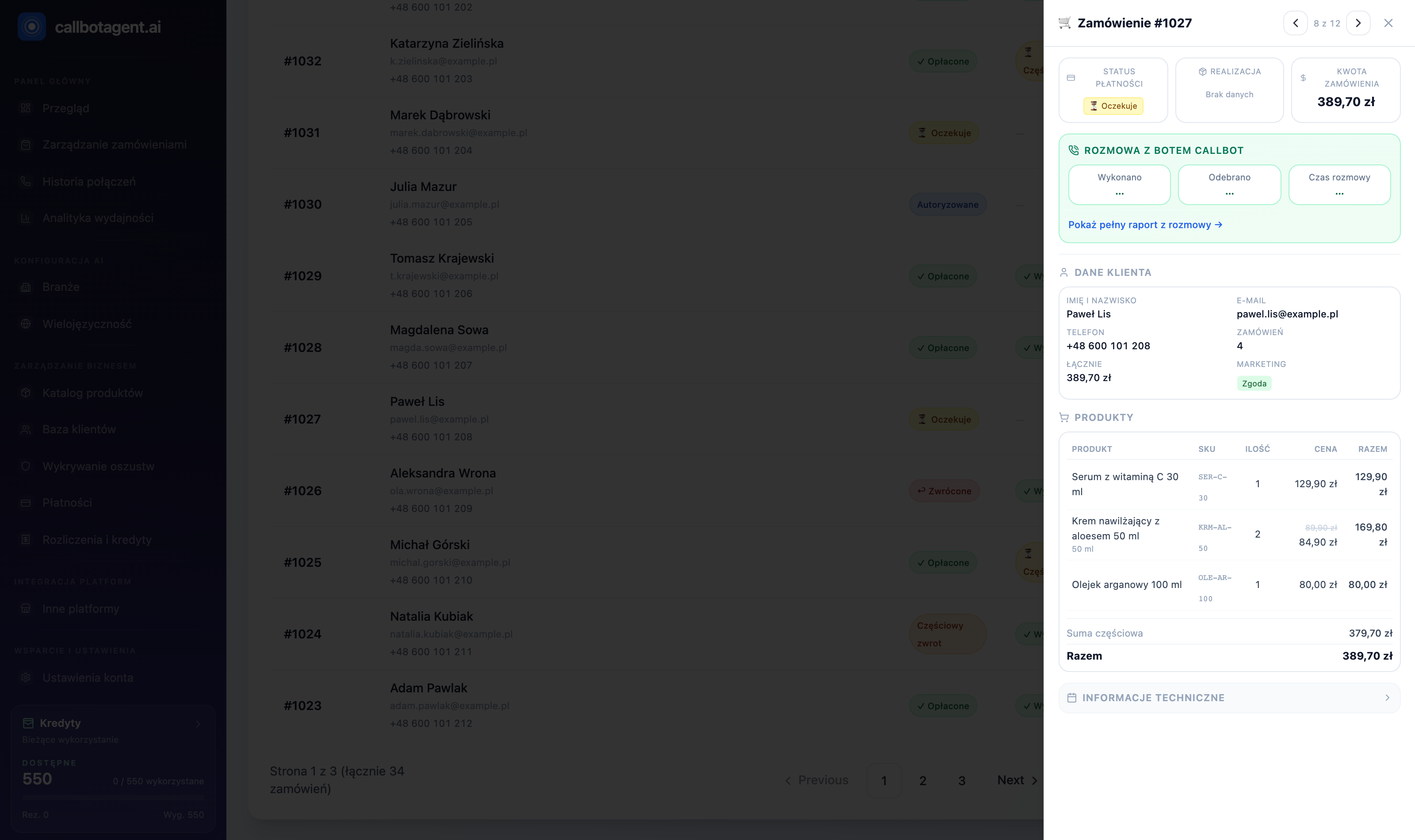 Order detail panel: line items, totals, and "CallBot conversation" section (Completed / Answered). Sample data.
How dimensions combine in practice
Example: customer places an order Pending (unpaid). The bot calls; customer
confirms intent to pay → call status: Call completed, report shows
confirmed. When the customer pays, the store changes financial status to
Paid — the panel shows it on next sync (Synced column).
Call completed ≠ sales success. That is a technical status ("bot finished the call"). Business outcome — confirmed / changed / declined — is in the call report (Calls → Reports).
Lifecycle from sync to report
store → sync → qualification (filters, consents, hours)
     → call queue → attempts (retry per rules) → conversation
     → report + optional write-back to store
Each stage has rules in: Calling rules · Attempt history · Store and connectors.