
Orders — overview
The Order management module (Panel → Orders) is a single queue of all
orders synced from your store. Here you see which orders the bot already called
and with what result, narrow the list with filters, and open order details
together with the call report.
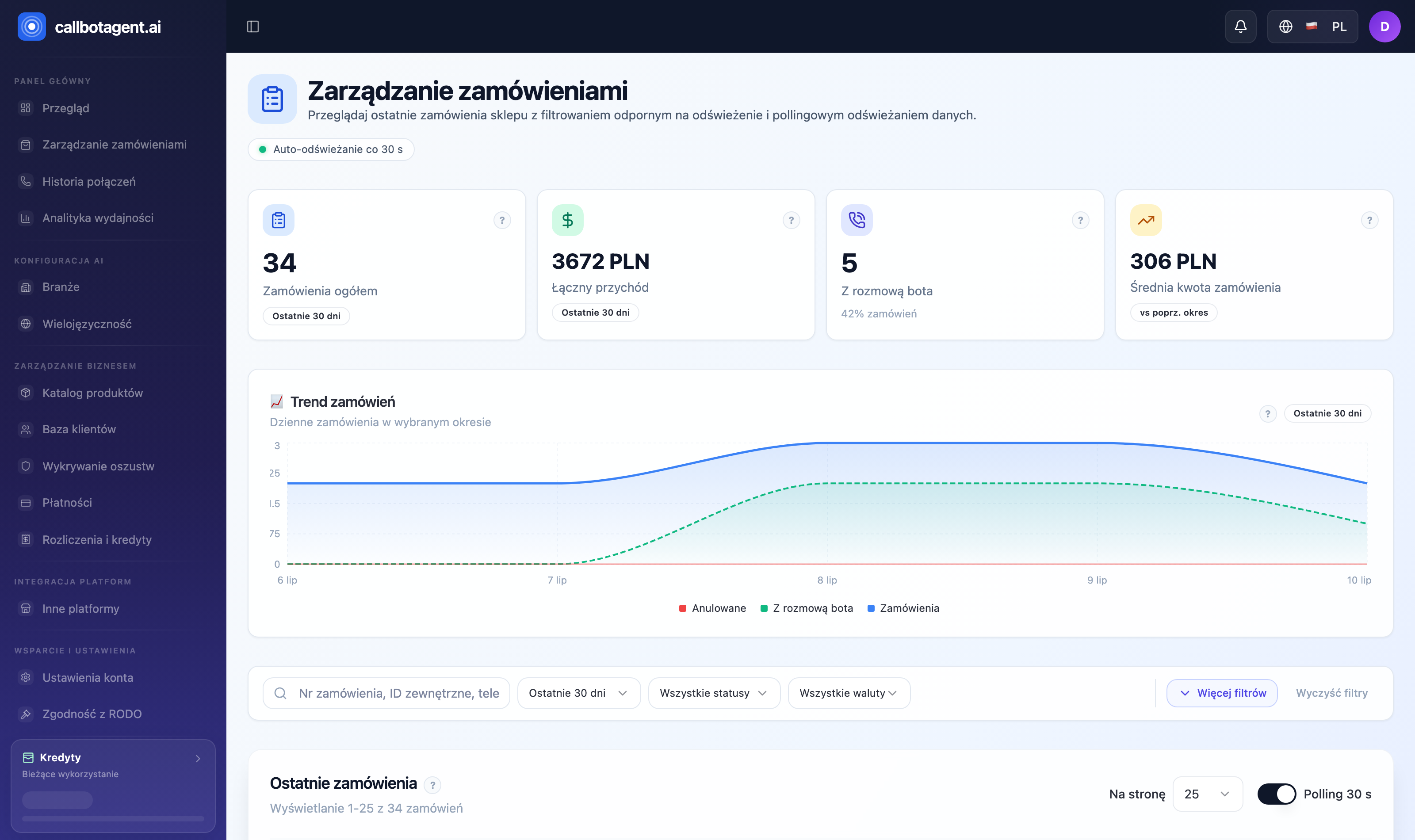 Top of Orders module — KPI tiles (total orders, total revenue, with bot call,
average amount) and trend chart. Sample data (demo).
Top of Orders module — KPI tiles (total orders, total revenue, with bot call,
average amount) and trend chart. Sample data (demo).
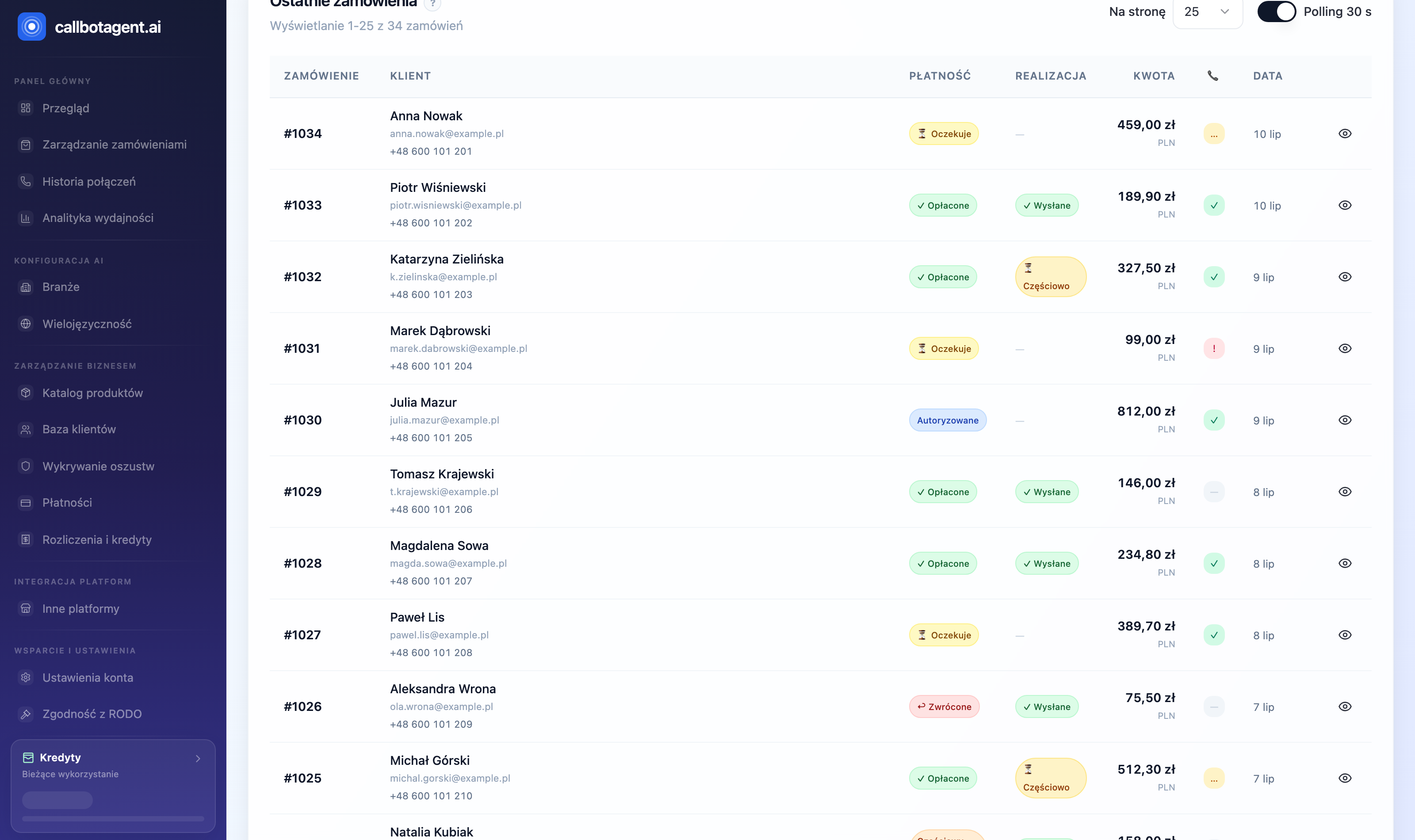 "Recent orders" table with bot call status column (📞). Sample data.
What you see in the list
The Recent orders table shows for each order:
| Column | Meaning |
|---|---|
| 📞 | Bot call status: Call completed / In progress / Call failed / No call |
| Order | Store order number (e.g. #1027) |
| Customer email | Customer address; "No email" when the store did not provide one |
| Tags | Order tags from the store (e.g. vip, priority) |
| Financial status | Pending / Authorized / Paid / Partially refunded / Refunded |
| Fulfillment | Fulfilled / Partial / Unfulfilled |
| Amount | Order total in store currency |
| Created / Synced | Store creation time and last sync time |
| Actions | "Show order details" and — when available — "Call report" |
The list refreshes automatically (Auto-refresh every N s — toggle above the table). Filter and page state is stored in the URL, so you can share the exact view with a colleague.
Typical workflow
- Review the queue — open
Panel → Orders; by default you see newest orders with pagination. - Narrow scope — use search and filters (details) to keep only orders that need action.
- Open details — customer, line items, totals, tags, and CallBot conversation in the side panel (statuses and lifecycle).
- Open call report — if the bot spoke with the customer, open the report from the same panel: summary, customer decisions, transcript (more in Calls).
Where orders come from
Orders arrive automatically from the connected store (Shopify, PrestaShop, or API/custom integration — see Store and connectors). The panel does not create orders — it mirrors the store enriched with bot call outcomes.