
Store readiness and go-live
Go-live is the moment your store actually starts calling customers. Before that, the panel checks several conditions — you can finish onboarding earlier, but while any condition shows red, a real launch stays on hold.
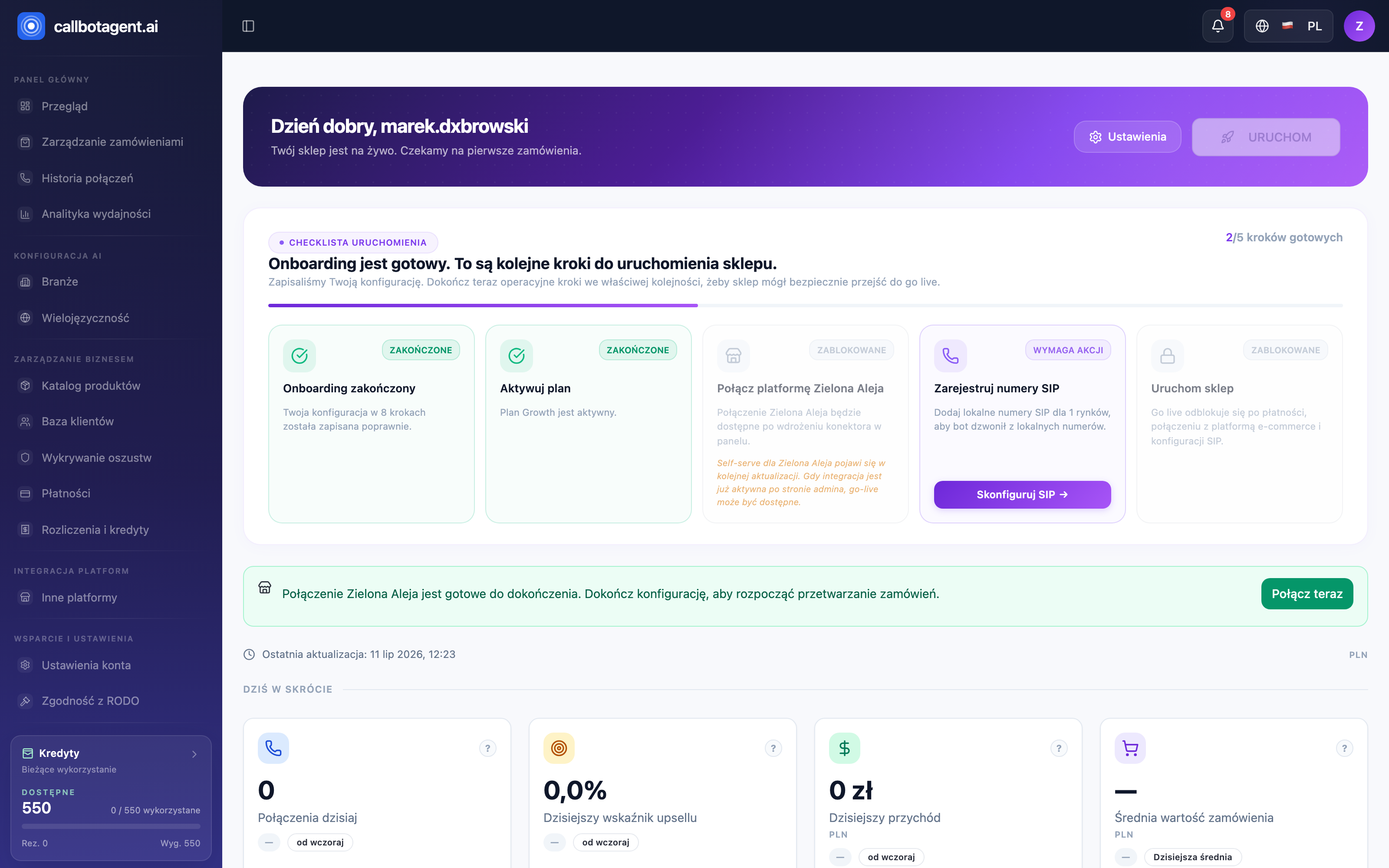 Overview panel with launch checklist and KPIs. Sample data (demo).
Where readiness appears
You see readiness in the wizard's last step ("Launch") as the Go-live conditions checklist, and after onboarding in the panel. Each condition is Ready, Action required, or Checking.
Hard go-live conditions
These four must be met for the store to launch:
| Condition | What it means | How to satisfy |
|---|---|---|
| Onboarding review | You reached the Launch step | Complete the wizard (steps) |
| Active subscription or trial | Account has an active plan | Activate a plan or trial (Billing) |
| Connected store | Your platform connector is active | Connect the store (Store connection) |
| At least one active SIP market | Bot has a number to call from | Configure SIP for a market (SIP and numbers) |
Finishing onboarding is not the same as go-live. Even if you click Launch my AI assistant, the store will not call until all conditions above are met.
Common blockers and how to clear them
- No active plan / credits — trial expired or balance depleted. Activate or change plan and check balance in Credits: usage and top-ups.
- Store not connected — connector unavailable, disconnected, or awaiting verification. See Connector readiness blockers.
- SIP not configured — no market has an active number. Set SIP for at least one market (SIP and number configuration).
- No calling hours — a market has no business window, so there is no time to call. Fill in hours in the Configuration step or in Hours and calling days.
- Number on the Do Not Call list — a number on that list does not qualify for a call; customer consents are documented in the GDPR module and the system does not block calls based on them. See Consents, contact rights, customer DNC.
- Incomplete payment classification — if COD and prepaid gateways are not classified correctly, orders with unknown gateways are rejected at qualification. Complete rules in the Orders and products step.
When some items show "Needs attention"
The wizard can save configuration despite warnings — you will then see that onboarding was saved but the store will not go live until you resolve the listed items. Return to the relevant step, fix the missing piece, and refresh the review to verify the condition again.