
Getting started
CallBotAgent is a voice assistant that calls your customers around store orders: it confirms orders, verifies details, suggests additional products (upsell), and captures repurchase intent. Our voice engine handles conversations in each market's language and within the hours you set — and you see the outcome of every call in the panel.
The panel does not sell on your behalf in the background: it mirrors your store, adds call outcomes, and enforces rules (hours, consents, order qualification). You decide which orders enter the calling queue and what the bot should achieve.
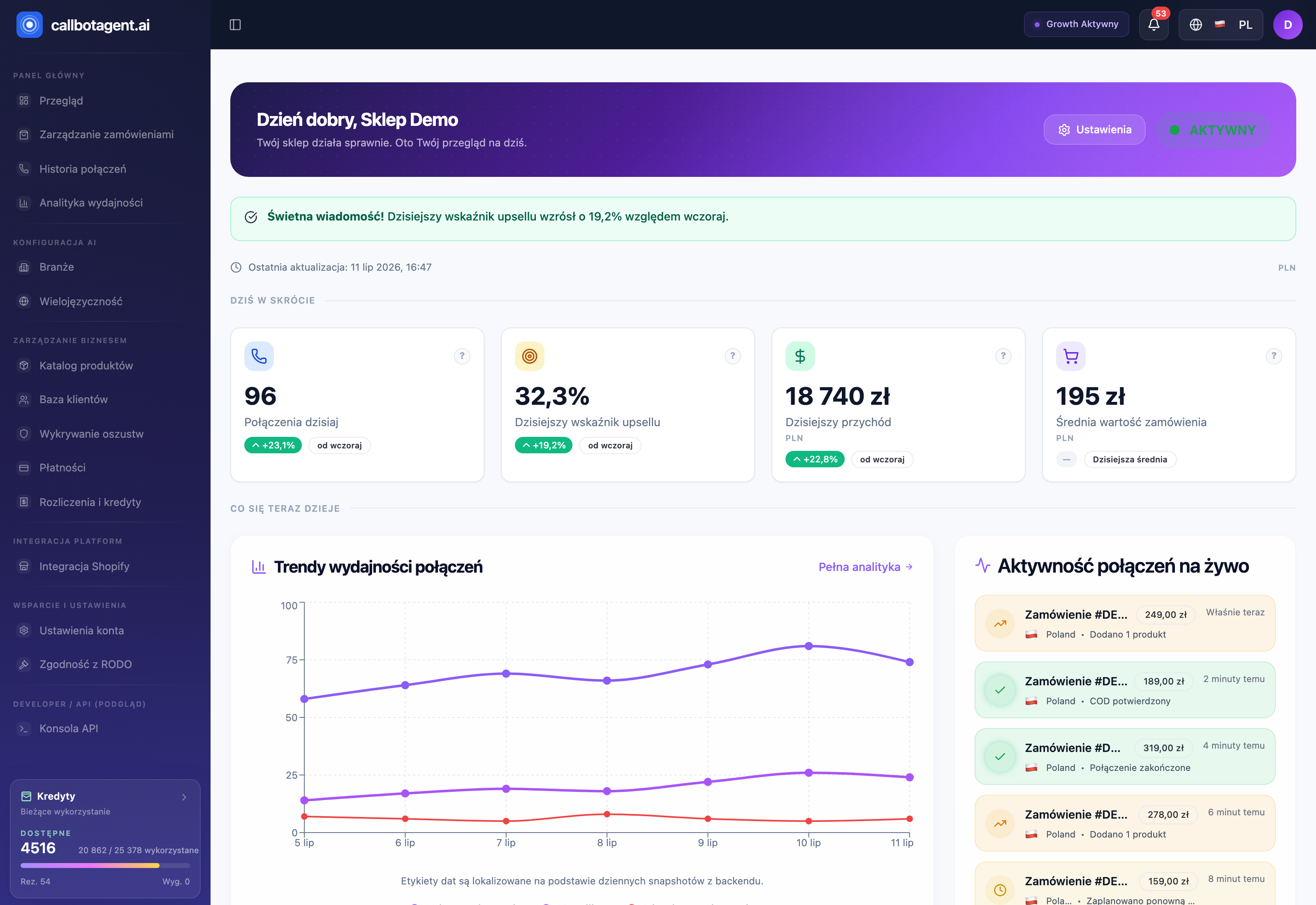 Dashboard — launch checklist, KPIs, and shortcuts to key modules. (illustrative screenshot — in progress)
How to begin — in brief
Launch involves three stages. Initial configuration fits in the wizard and takes about 5 minutes.
Complete the onboarding wizard
The eight-step wizard guides you from business details through store connection to launch. Progress saves automatically, so you can pause and return to the last step. For Shopify and PrestaShop you have two screenshot-backed paths: Onboarding wizard step by step.
Connect your store (connector)
Orders and products must flow into the panel. Choose the path for your platform — Shopify self-service, PrestaShop in assisted mode, or your own integration via API. See Store connection — overview.
Check readiness and go live
The wizard's final step shows go-live conditions. When everything is green, you launch the assistant and the first calls enter the queue. See Store readiness and go-live.
What to prepare
- Store access — a Shopify account with app install rights, PrestaShop store details (URL, Webservice), or the ability to connect your own API.
- Business details — store name (the bot introduces itself with it), contact person, email for login and notifications.
- Markets and languages — countries where you want to call and their time zones (see Countries, time zones, markets).
- Active plan or trial — without an active subscription the store cannot go live (Billing — overview).
Limits — number of industries, markets, and countries — depend on your plan. The wizard shows them in real time and suggests when a higher plan is needed.
Help Center map
| You want to… | Go to |
|---|---|
| complete initial configuration | Onboarding wizard |
| connect your store | Store connection |
| understand what blocks launch | Readiness and go-live |
| set calling hours and retries | Calling rules |
| work with orders | Orders — overview |
| read call outcomes | Call reports |
| integrate via API | API and integrations |