
Countries, time zones, markets
A market is an activated country where the bot may call your customers. Each market brings its own time zone, business hours, and currency — so configuration starts with the market.
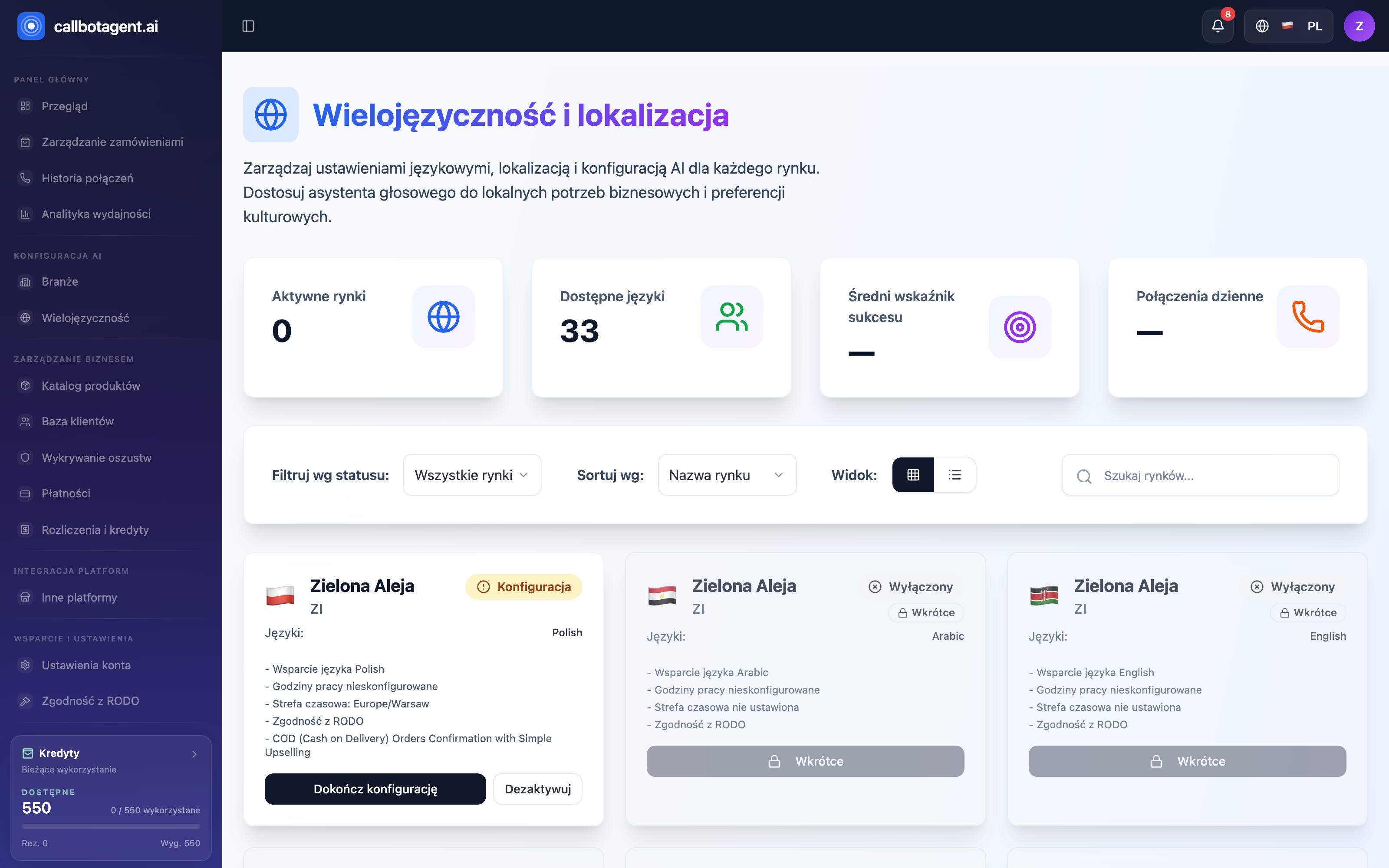 "Multilingual and localization" module — layout before the changes: KPIs, filters and market cards. Sample data (demo).
The Multilingual and localization module gathers all markets. The top row shows four numbers: ready markets (with an own or a substitute number), to finish, available to enable and languages of your markets. Below: filter by market status, sort by name and search when you run many countries.
Each market is a card that shows its settings and gaps: conversation language, calling hours and time zone (until set, the card shows "Set calling hours" / "Set the time zone"), the phone number state and the call types assigned to the market. Market status is Active, Ready (substitute number), To finish, Inactive or Coming soon — with Complete setup, Configure, Deactivate and Test call (only for a market with its own number).
Activating a market
Activate from the country list with Activate market. Before real calling, set business hours and time zone (below).
You must keep at least one active market — the last one cannot be deactivated. How many markets you can run depends on your plan (Plans, subscriptions, invoices).
Time zone
The market time zone defines which clock governs calling hours. The bot always calls in the market's local time, not yours. On activation the platform suggests a typical zone; multi-zone countries let you pick manually.
| Setting | Meaning |
|---|---|
| Time zone | clock for business and quiet hours |
| Business hours | "from–to" window when calling is allowed |
Currency and amount format
Markets also affect revenue currency. Amounts in Analytics use store display currency; cross-market comparisons use one reporting currency. When exchange rates are missing for some orders, normalization section marks it — data stays honest, not forced.
Per-market settings
Calling hours, time zone, delay and retry count, and the phone number are set per country — on the market card, via Configure or Complete setup. There is no bulk-change tool today.
Impact on calling
Markets supply data for calling rules: customer time zone, business hours, and max attempts. If the bot calls at odd times or not at all — check that market's time zone and business hours first.