
Categories and industries
The bot does not talk the same way about a dress and a drill. Industry (store category) shapes how the agent runs the conversation: introduction, arguments, and upsell proposals. It is the simplest way to make calls sound like someone who knows your assortment.
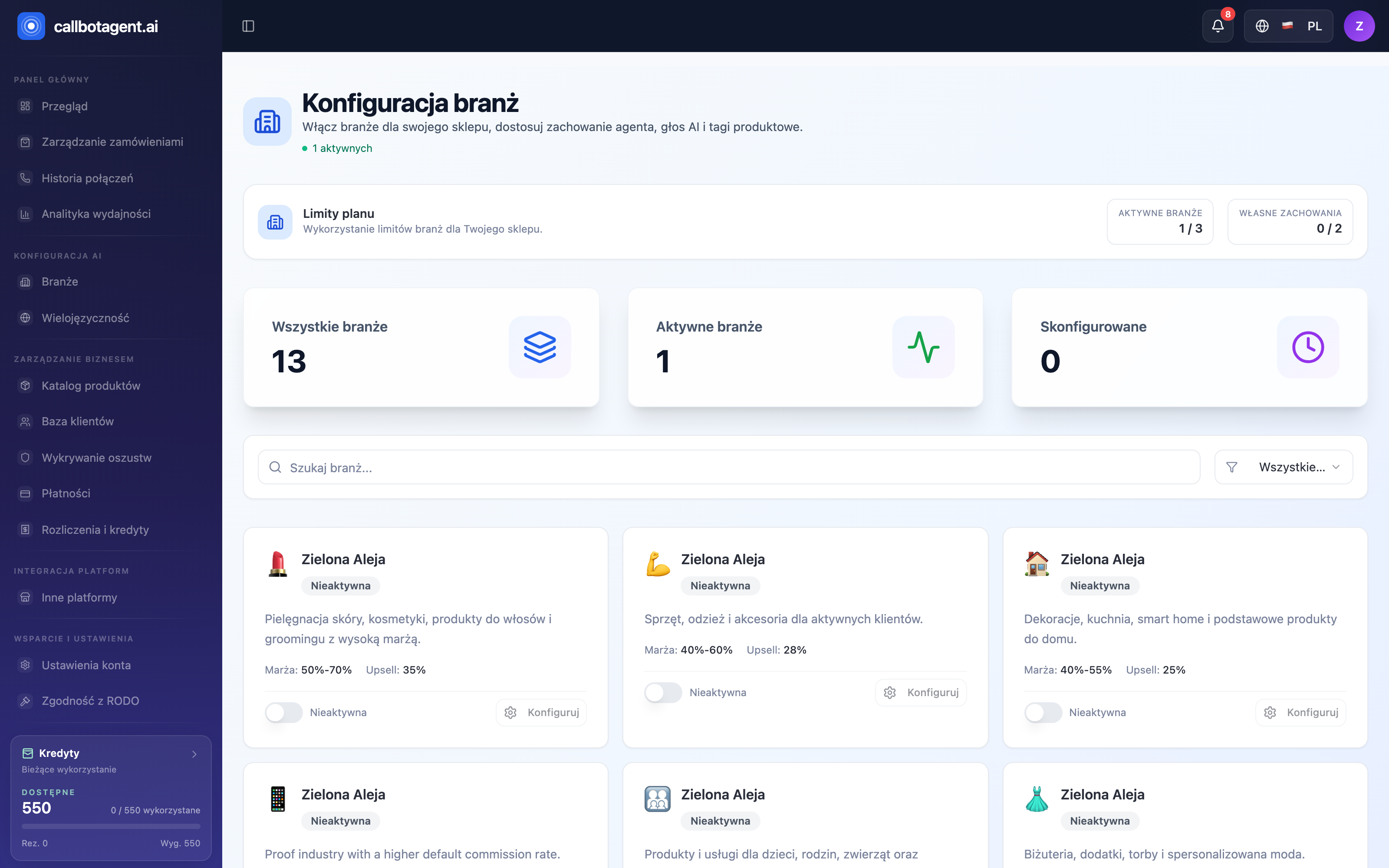 Industries module. Sample data (demo).
 "Configure" sheet for active industry — Behavior / AI Voice / Tags tabs, opening line, and prompt. (illustrative screenshot — in progress)
What the industry profile sets
For each active industry the profile includes:
| Element | What it defines |
|---|---|
| Opening line | first sentence the bot uses |
| Style and argumentation | tone, pace, persuasion typical for the industry |
| Conversation intents | topics to cover (e.g. confirmation, upsell) |
| Voice | voice profile matching industry character |
Example categories include Fashion & Apparel, Beauty & Cosmetics, Health & Wellness, Fitness & Sports, Technology & Electronics, Home & Garden, and more.
Default behavior and custom mode
Each industry starts with a ready default behavior we prepared. Use it with no setup. To change something, enable custom mode and override selected fields (e.g. opening line or intent list) — the rest still inherits from default.
How many industries you can activate and whether custom mode is available depend on plan. Lower plans use ready profiles; higher plans unlock custom behaviors (see Plans, subscriptions, invoices).
Choosing categories
- One main industry — pick what best describes your assortment.
- Multi-category store — activate industries that match your products within plan limits.
- Market fit — industry profile works with language and voice; the same product sounds different on different markets.
Changing industry after launch
You can change category while live. New settings apply to future calls — completed ones stay in reports. After a major profile change, check Analytics for success rate and upsell revenue trend.