
Hours, calling days, quiet hours
The bot calls only during hours you set per market. This page explains business hours window, quiet hours, and which clock applies.
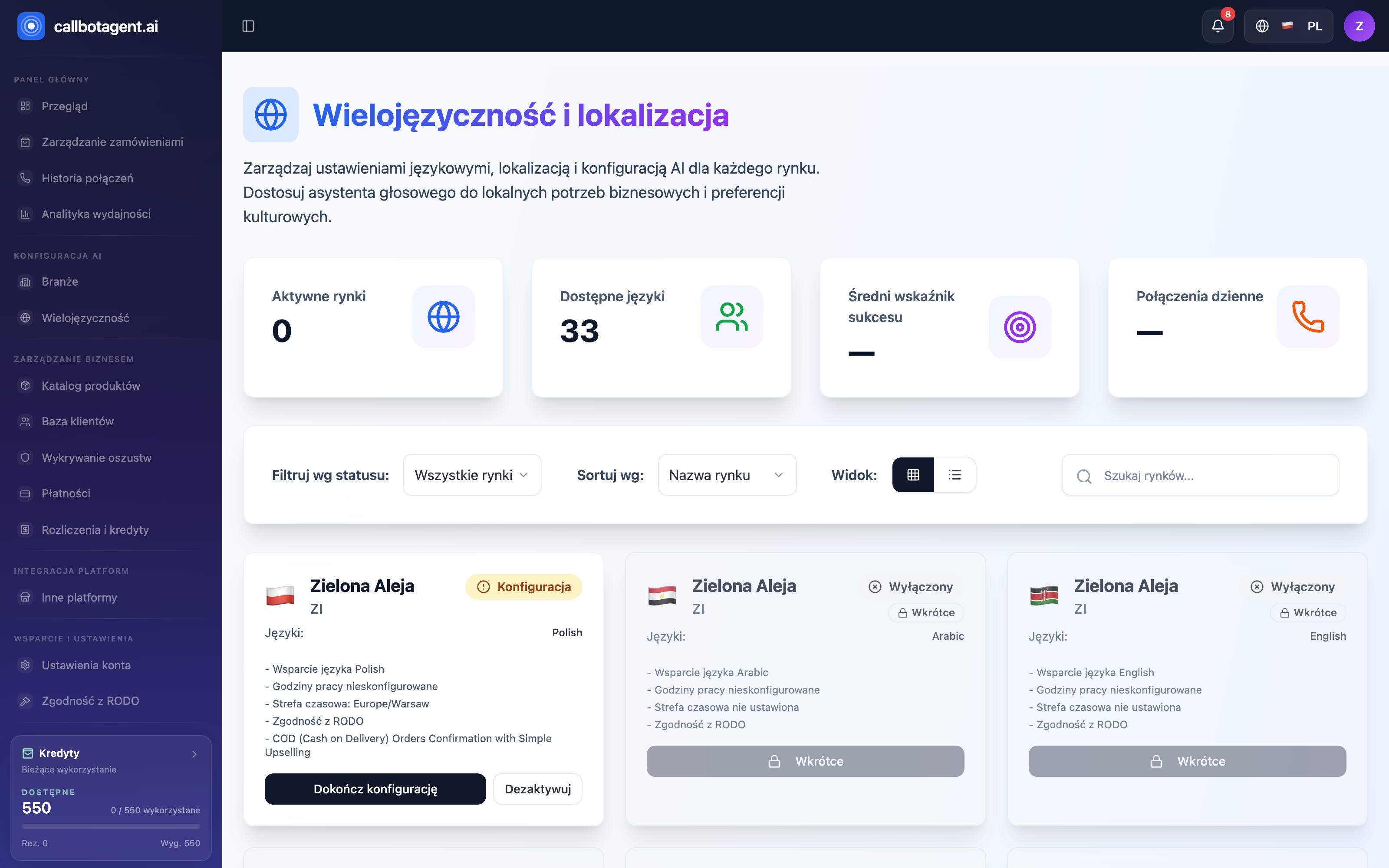 Market cards — calling hours and time zone belong to the market; status (e.g. "Business hours not configured") shows on the card. Sample data (demo).
 "Configure" dialog for active market — business hours start/end and time zone. (illustrative screenshot — in progress)
Business hours and time zone are owned by the market — configured per country, status visible on the market card (e.g. "Business hours not configured" until filled). The bot calls only within that market's configured hours and always in its time zone — those settings travel with the market, not your location.
Market business hours
Business hours are a "from–to" window when the bot may place calls on that market. Outside the window it does not dial.
Open market configuration
Go to languages and markets settings and pick the country to configure.
Set start time
Enter the earliest time to start calling (e.g. 09:00).
Set end time
Enter the time calling must stop (e.g. 18:00). After that no new calls start.
Confirm time zone
Verify the market time zone is correct — hours use that zone.
Time zone — whose clock
Business hours use the market time zone, i.e. local time for customers in that
country — not your zone. Multiple markets in different zones each have independent
windows. So 09:00–18:00 on one market is a different real moment than on another.
If the bot calls at surprising times, first check the market time zone (Countries, time zones, markets) — the most common cause of "odd hours".
Quiet hours (no-call window)
Inside business hours you can define quiet hours — a break when the bot does not call though the market is active. Typical uses: lunch break or periods customers prefer not to answer.
- Calls pause only in the defined range.
- Rest of business hours work normally.
- Orders that would hit quiet hours wait until the break ends.
Days and unusual periods
Basic rules use business hours and market time zone. To pause calling entirely for a market (e.g. a specific day), the most reliable approach is deactivate the market for that period and re-enable later. Local regulations on permitted contact times also apply — the bot operates within those bounds.
Outside the window
An order that qualified outside allowed hours is not lost — it waits in queue and is called when business hours return (and quiet hours end). Check queue state in Analytics.