
Data retention and deletion
Retention is how long call records and store contact-form submissions are kept. After that period the system can delete them permanently — if you enable automatic deletion. This page explains what is kept and for how long, how deletion works, and how to fulfil customer requests.
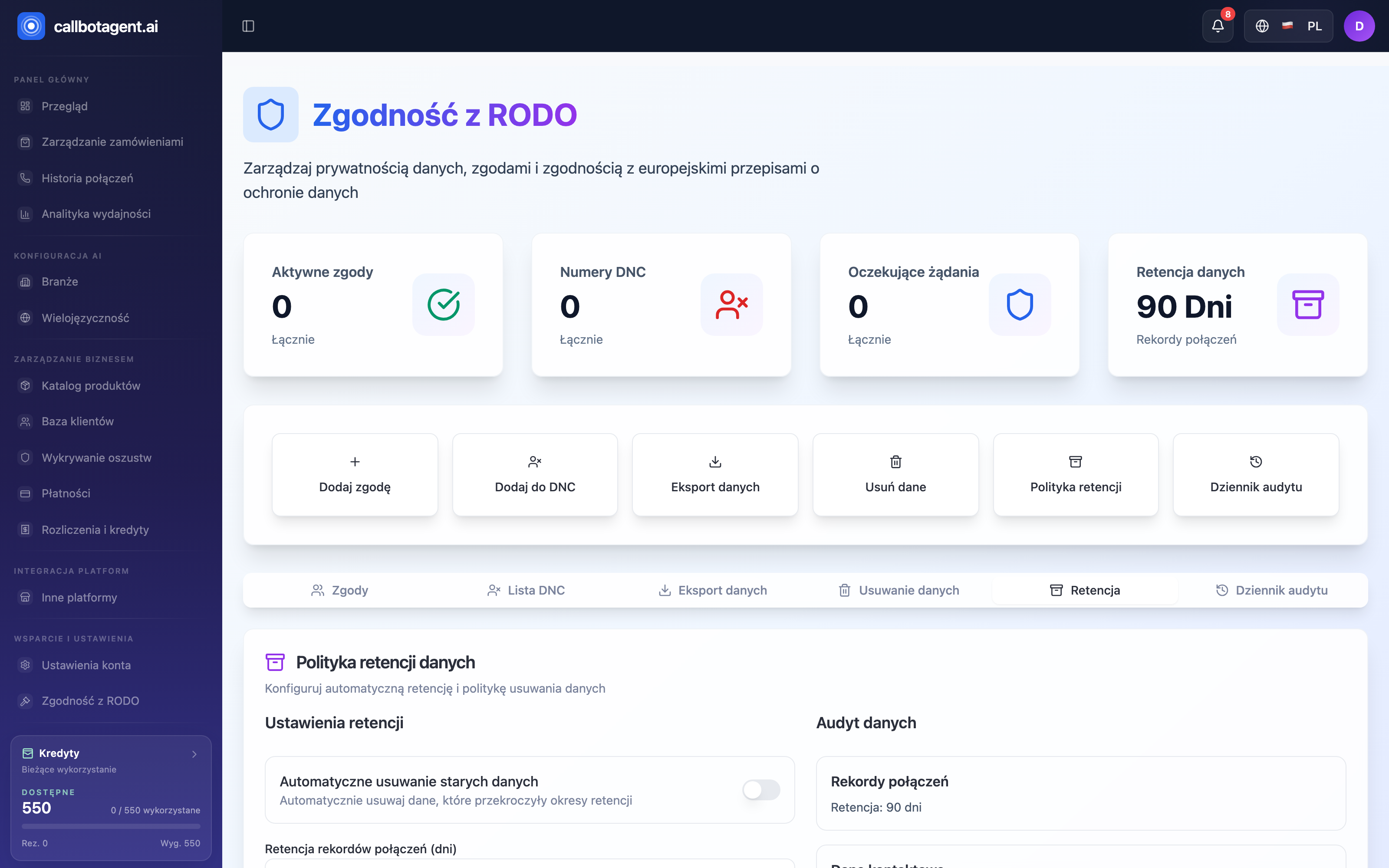 GDPR compliance — Retention tab. Sample data (demo).
Retention periods
Call records (transcripts and outcomes) and store contact-form submissions are
covered by a retention period. Settings are at Panel → Privacy,
Retention tab (Data retention policy). The panel has two parts:
- Retention settings — the Automatically delete old data toggle controls whether the system removes data past the set period. It is off by default — until you enable it, nothing is deleted automatically. Below you set the number of days for call records (initial value 90) and for contact-form submissions.
- Data audit — a summary of the current values from the form.
When automatic deletion is on, data past the period is deleted permanently without manual action on your side. The system does not anonymize data: there is no mode that would keep statistics without personal data. Deletion removes the record entirely.
Customer requests
From Panel → Privacy you handle two key rights:
- Right of access (data copy) — create a request; the system prepares a file with the customer's data, you track the status and download the file. The copy covers data stored in CallBotAgent: call records (transcripts and outcomes), contact-form submissions, consent history, and orders and the customer profile synced from your store.
- Right to erasure — create a deletion request; you confirm before it runs. Deletion covers only data stored in CallBotAgent — data in your store and at your payment provider is deleted separately. The request entry and the audit log remain as proof of fulfilment.
Reply to the customer within one month of receiving the request.
For PrestaShop stores, automatic handling of copy and deletion requests is in preparation — contact support and we will fulfil the request manually.
What remains after deletion
Some data may remain where law requires — e.g. billing and invoice records kept for accounting obligations, independent of marketing or call data deletion requests. Customer data deletion does not remove issued invoices.
Legal responsibility is yours. As controller of your customers' data you are responsible for lawful consent collection, request handling, and retention aligned with applicable law (including GDPR). Panel settings are tools — they do not replace legal advice. When unsure about retention or deletion scope, consult a lawyer.